

Enabling Online Payments On An Invoice
So you’re looking to enable online payments on an Invoice via our API? Well, you’ve come to the right place.
To get started, you’ll need:
- FreshBooks account with Advanced Payments
- FreshBooks Payments or Stripe account
- Postman or familiarity with cURL
Here’s a quick example of why you would need this tutorial: Let’s imagine you’re a business owner who sends out a lot of invoices each month. You’d like to enable online payments on these invoices so you can get paid faster.
In this tutorial, we’ll look at how to find the available payment gateway options, as well as how you can enable online payments on an invoice.
NOTE: You will need Advanced Payments on New FreshBooks to enable this. If you don’t have it, click “Add-ons” in the left-hand navigation bar, find “Advanced Payments”, and select “Get Add-on”, or call 1.833.333.1128.
1. Create an Invoice
Let’s start by creating an invoice for your client.
I’m going to make a POST request to:
https://api.freshbooks.com/accounting/account/{{account_id}}/invoices/invoices
Keep note of account_id and invoice_id from the response because you’re going to need those later.
Now that we have an invoice, let’s find out the payment options that are available to your business.
2. Check Available Online Payment Gateways
In this step, you’ll check which payment gateways have been enabled by the business owner using the FreshBooks UI.
https://api.freshbooks.com/payments/account/{{accountId}}/payment_options?entity_type=invoice
NOTE: FbPay (WePay) is available only in Canada and the USA. Stripe and PayPal are available globally.

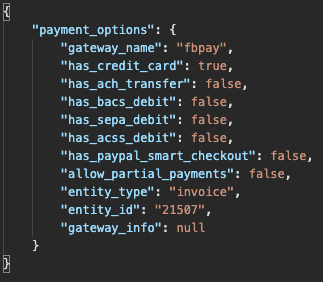
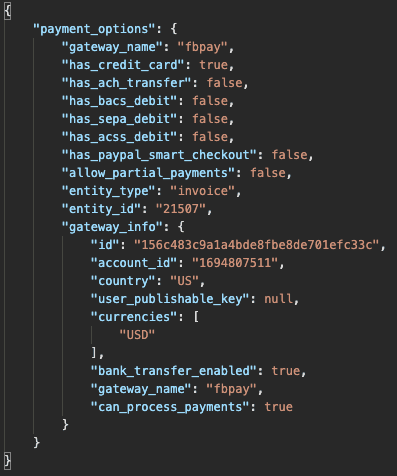
As shown in the response, the gateway_name “fbpay” is available. We’ll need this value in the next step.
3. Add Payment Gateway to the Invoice
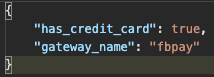
In this step, we’ll add the payment gateway to the invoice created earlier using a POST request. Note that has_credit_card is set to true.
https://api.freshbooks.com/payments/account/<account_id>/invoice/<invoice_id>/payment_options
Underlined fields are required on creation.
Field | Type | Description |
|---|---|---|
gateway_name | string | Payment gateway name. |
has_credit_card | bool | If the invoice can accept credit cards |
has_ach_transfer | bool | If the invoice can accept ACH bank transfers |
has_bacs_debit | bool | |
has_sepa_debit | bool | |
has_paypal_smart_checkout | bool | |
allow_partial_payments | bool | If the client can use the gateway to pay part of the invoice or only the full amount. |
entity_type | string | Eg. "invoices" |
entity_id | int | invoice_id of the connected invoice |
gateway_info | object | Additional gateway details |

Request body:
Response body:
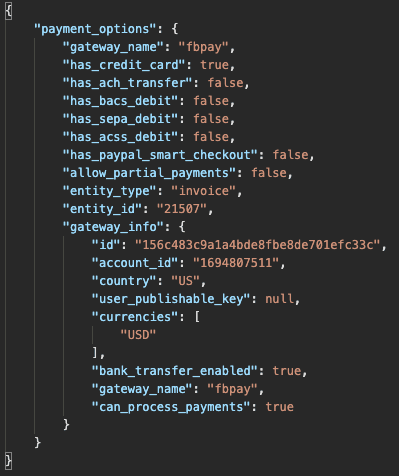
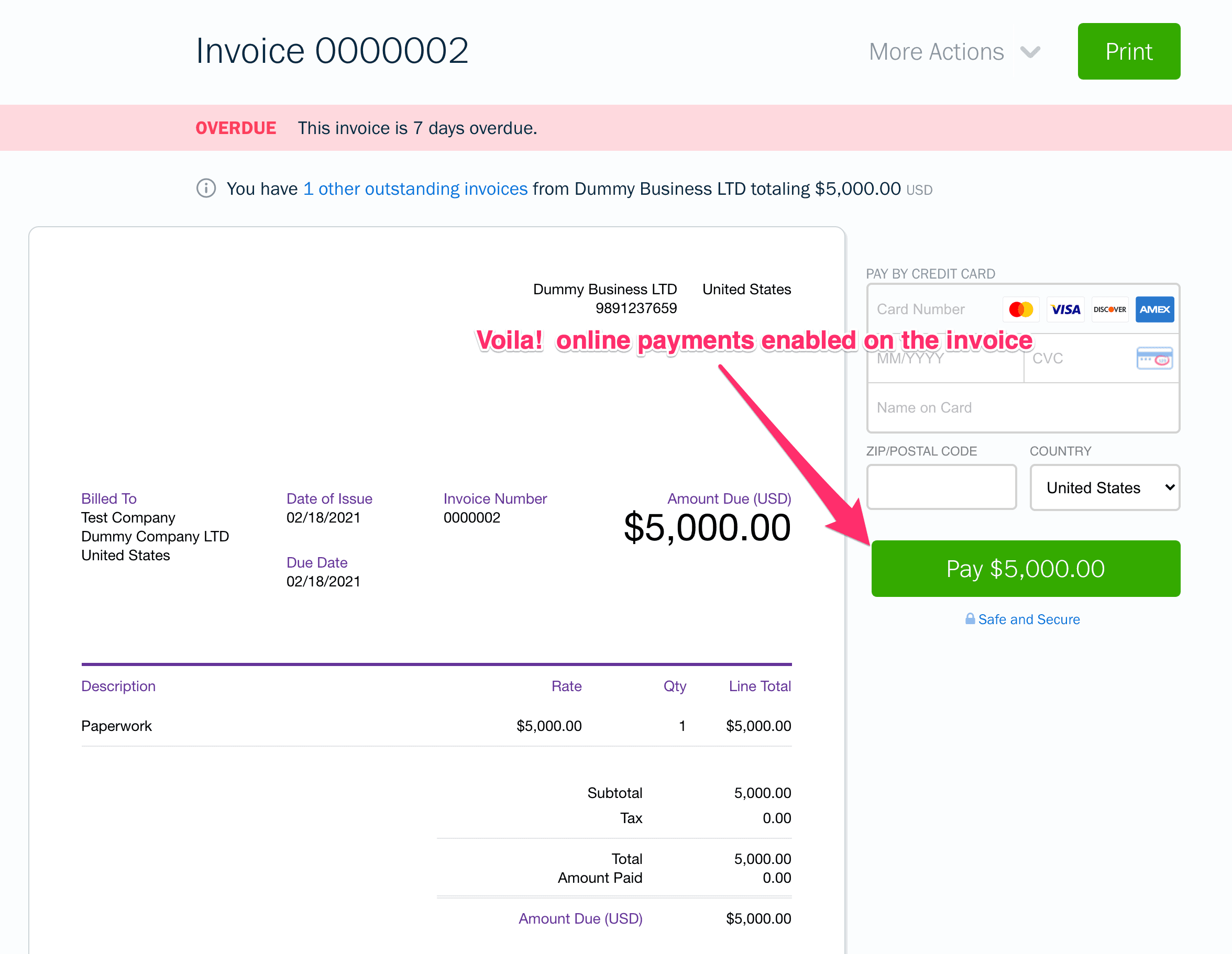
You have now successfully enabled online payment on the invoice.
4. Check for Payment Gateways Applied to an Existing Invoice
To check whether online payments are enabled on an invoice, use the following API call:

Response body:
5. Disable an Online Payment on an Existing Invoice
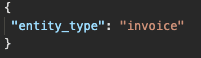
If you need to disable online payments on an existing invoice, use the following POST call with the correct invoice ID and entity type.

Request body:
Still have questions? Something isn’t working right? Don’t hesitate to reach out to api@freshbooks.com. We’ll respond as quickly as we can.